 Tlaku
TlakuTlaku › Creality Falcon2
Tested on a real machine
Tlaku for the Creality Falcon2
Tlaku is free, open source (MIT license) software to run a Creality Falcon2 over USB, and a LightBurn alternative. The Falcon2 is the first machine it was tested on: here is what worked, how to get started and what is still missing.
Beta (0.1.2). Everything on this page was measured with a Falcon2 Pro 22 W on 14 and 15 October 2026, from macOS. High-power cutting has not been tested yet. The other variants (the original Falcon2 22 and 40 W, the Pro 40 W and the Pro S) have not been tested with Tlaku.
What was tested on a real Falcon2 Pro 22 W
Firmware CV50-Pro-MASTER-Release V1.0.0 20231129-1024, GRBL 1.1f.20220810, ESP32-S3 board over USB. For the laser, scrap 3 mm MDF was used, with the lid closed, focus not adjusted and no ruler. The full list of steps and results is in the validation list (§2.6 to §2.8, in Spanish) and the machine data in hardware/falcon2.md (in Spanish).
| Test | Result | Notes |
|---|---|---|
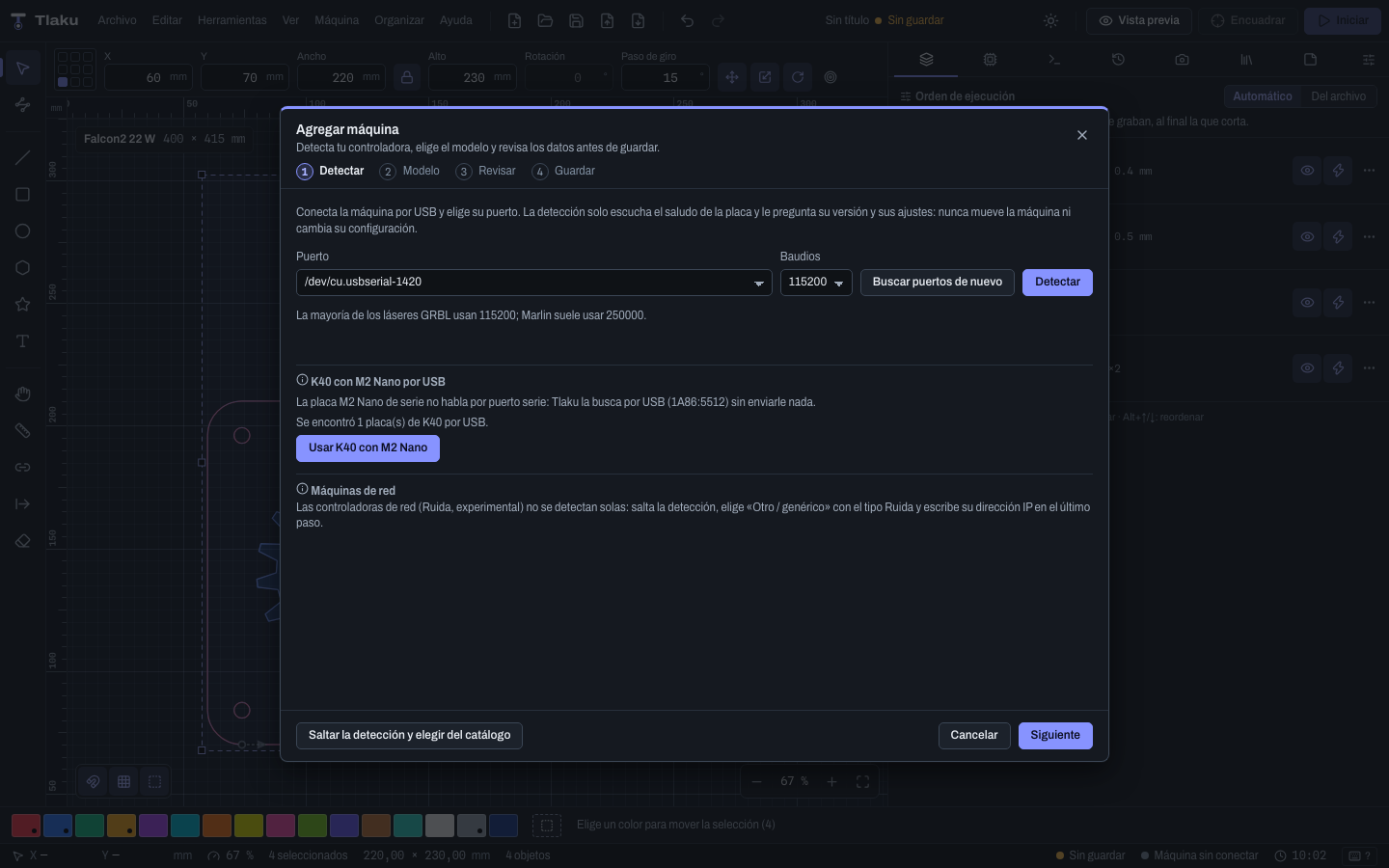
| Connecting and detection | Passed | The “Add machine” wizard detected the Falcon2 Pro and proposed the machine's values where they differ from the catalog (for example the Y speed of 8000). If other USB devices are plugged in, the Falcon is listed first. |
| Homing, jogging and framing | Passed | Homing to the bottom-left corner; framing with the laser off is exact according to the position the machine reports. Measured without a ruler. |
| Framing with the laser at 1 % | Passed | It does not mark the material and is barely visible through the lid's orange window. |
| Line and fill engraving | Passed | 20 mm line square at 15 % and 1000 mm/min: marks well. 15 × 15 mm fill at 20 % and 3000 mm/min with a 0.1 mm interval: looks even. |
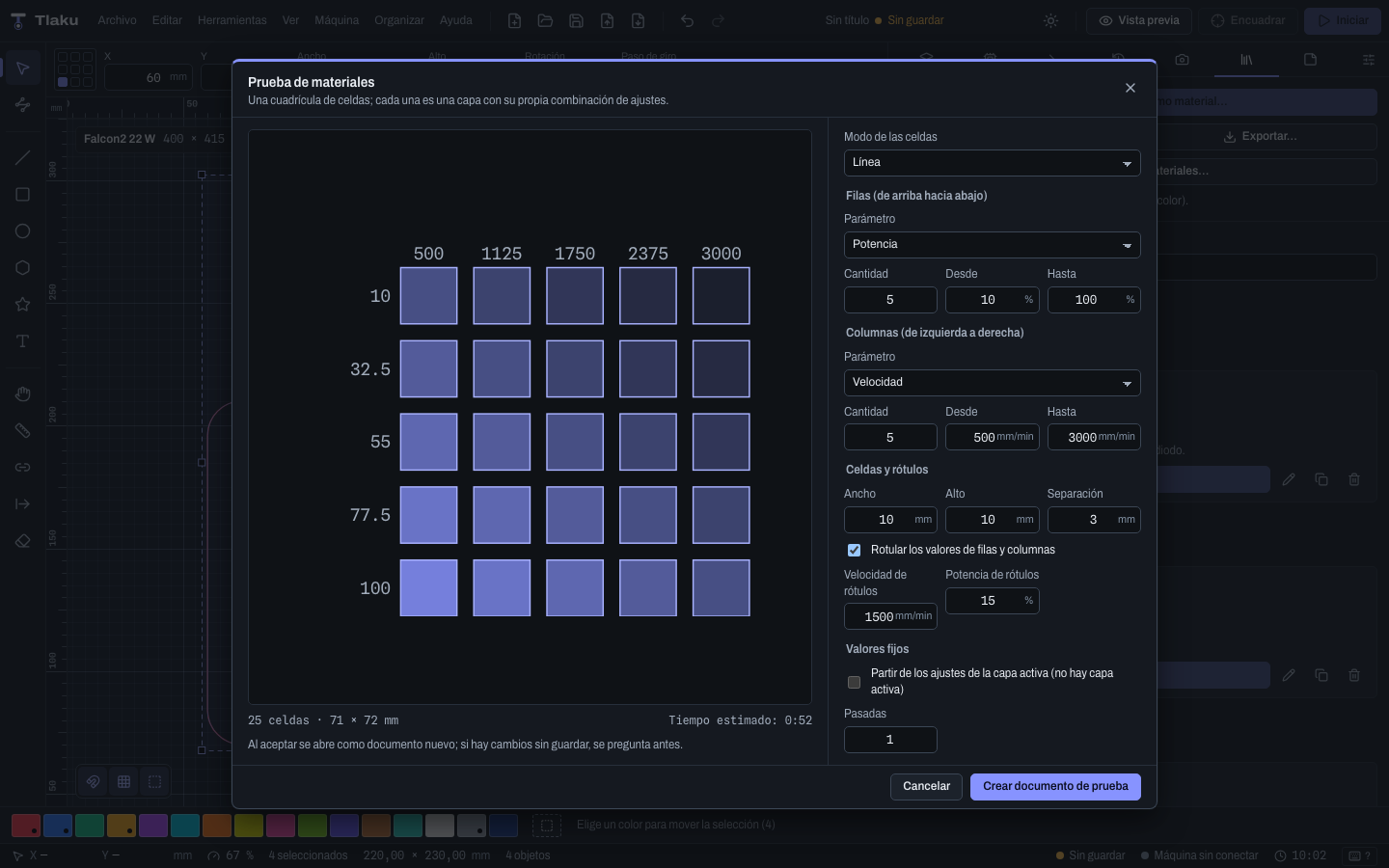
| 4 × 4 material test | Passed | From 10 to 40 % and 3000 to 1000 mm/min: the tones can be told apart. |
| 15 × 15 mm image (dithering, 9187 lines, 35 %) | Passed after a fix | The first time, the connection was declared lost; two causes were fixed (a truncated status line glued to an ok, and a write pause by the board counted as silence). Repeated: complete and without pauses. |
| Estimated vs. actual time | Measured | 20 mm line: 5.39 s estimated, ~5.5 s actual. Fill: 61.3 vs. 60.8 s. Material test: 139.0 vs. 136.9 s. Image: 54.75 vs. 54.3 s. |
| Pause, resume and stop with laser and air | Passed | On pause the laser drops to 0 and resumes without losing the job; stop turns the laser off instantly. The head needs some distance to brake (~16 mm at 3000 mm/min, measured at 0 power). |
| Resuming after a power cut | Passed after a fix | It resumed 1.5 mm before the cut point and ran what was left. The emergency stop cuts power to the board: Tlaku reports the connection lost and saves the checkpoint. |
Air assist (M8/M9) | Works | After M9 the air keeps running for about 5 s. |
| Blocking moves outside the bed | Passed | A −5 mm move from the origin hit the limit switch and the board rebooted; Tlaku now rejects those moves without sending anything. |
| Live view and phone control | Passed | The floating window and the phone page followed the real engraving. |
Getting started with the Falcon2
- Cable and port. Use a USB A to C cable (several reports say C to C does not work) and install the CH340/CH341 driver if your system asks for it. Close any other program using the port (LightBurn, LaserGRBL).
- Install Tlaku from the latest release.
- Add the machine. In the Add machine wizard pick the port and press Detect; then choose the catalog model (Falcon2 22 W or 40 W) and review the data. The Falcon2 is a 400 × 415 mm GRBL machine with the origin at the bottom left,
$30=1000, dynamic M4 and 115,200 baud; if detection differs from the catalog, Tlaku proposes what the machine answered by default. - Homing. Tlaku never does it on its own: run it yourself from the Machine panel. The Falcon has limit switches.
- Start with the safe things: frame with the laser off, then at low power, and run a Material test on an offcut.
- Follow the validation list from the safest to the riskiest, with eye protection for 455 nm, scrap material and your hand near the emergency stop.
Starting settings measured on 3 mm MDF
These are starting points from a single machine (Falcon2 Pro 22 W), unfocused, measured by photographing a material test with a 4 mm fill at 0.1 mm. With the focus adjusted the tone gets darker. Calibrate with your own material test.
Measured fill darkness by power and speed:
| Speed | 10 % | 20 % | 30 % | 40 % |
|---|---|---|---|---|
| 1000 mm/min | 72 % | 90 % | 96 % | 100 % (starts to char) |
| 1667 mm/min | — | 78 % | 88 % | — |
| 2333 mm/min | 50 % | 69 % | 77 % | 82 % |
| 3000 mm/min | 43 % | 62 % | 72 % | 79 % |
- Fill at 3000 mm/min, 0.1 mm interval: 10 % light tone, 20 % medium, 30 to 40 % dark.
- Fill at 1000 mm/min: at 30 % or more it reaches black and starts to char.
- Line: marks from 15 % at 1000 mm/min.
If you tune other materials and want to share them, the Share material settings form adds them to the community library as unverified data (CC0).
What is missing
- High-power cutting: untested. It needs focus and raising the test tool's cap. For 3 mm MDF there is no official Creality figure for 22 W; the only thing published, by a user, is 3 mm plywood at 60 %, 400 mm/min and one pass, and MDF is denser. A starting point to try on an offcut, with focus and air, would be 80 to 100 %, 300 to 400 mm/min and 1 or 2 passes. It is not a verified value.
- The lid is not detected: with the lid open the machine stays in
Idle, with no alarm or pin, so Tlaku cannot know it is open. - Test fire: the first time, the Falcon takes ~1 s to accept the laser-on command, so the laser may have been on for up to ~1.2 s instead of the requested time. Tlaku warns if the wait exceeds 400 ms; it still has to be measured with a photodiode.
- Lid camera: it sees the center and the back of the bed well but does not cover the front strip, and it has a strong fisheye. The lens still has to be calibrated and aligned.
- Measuring with a ruler the movements and checking that no steps are lost under load.
- A long job on the real machine: it was tested only in the emulator with the faults the Falcon showed (the board sometimes stops answering for a few seconds; Tlaku warns and waits instead of aborting the job).
- A real power cut with material and the other Falcon2 variants.
Own a Falcon2? Help us
Almost all public evidence is from the Falcon2 Pro, and the original Falcon2 has no published console output. If you have any variant, trying it and telling us how it went (even if everything went well) fills in these gaps.
Real machine test report Validation list FAQ
Creality is a trademark of its owner; Tlaku is an independent project with no relation to Creality. The model name is used only to say which machine it was tested on.