 Tlaku
TlakuOpen source · MIT license
Free open source software for laser engravers and cutters
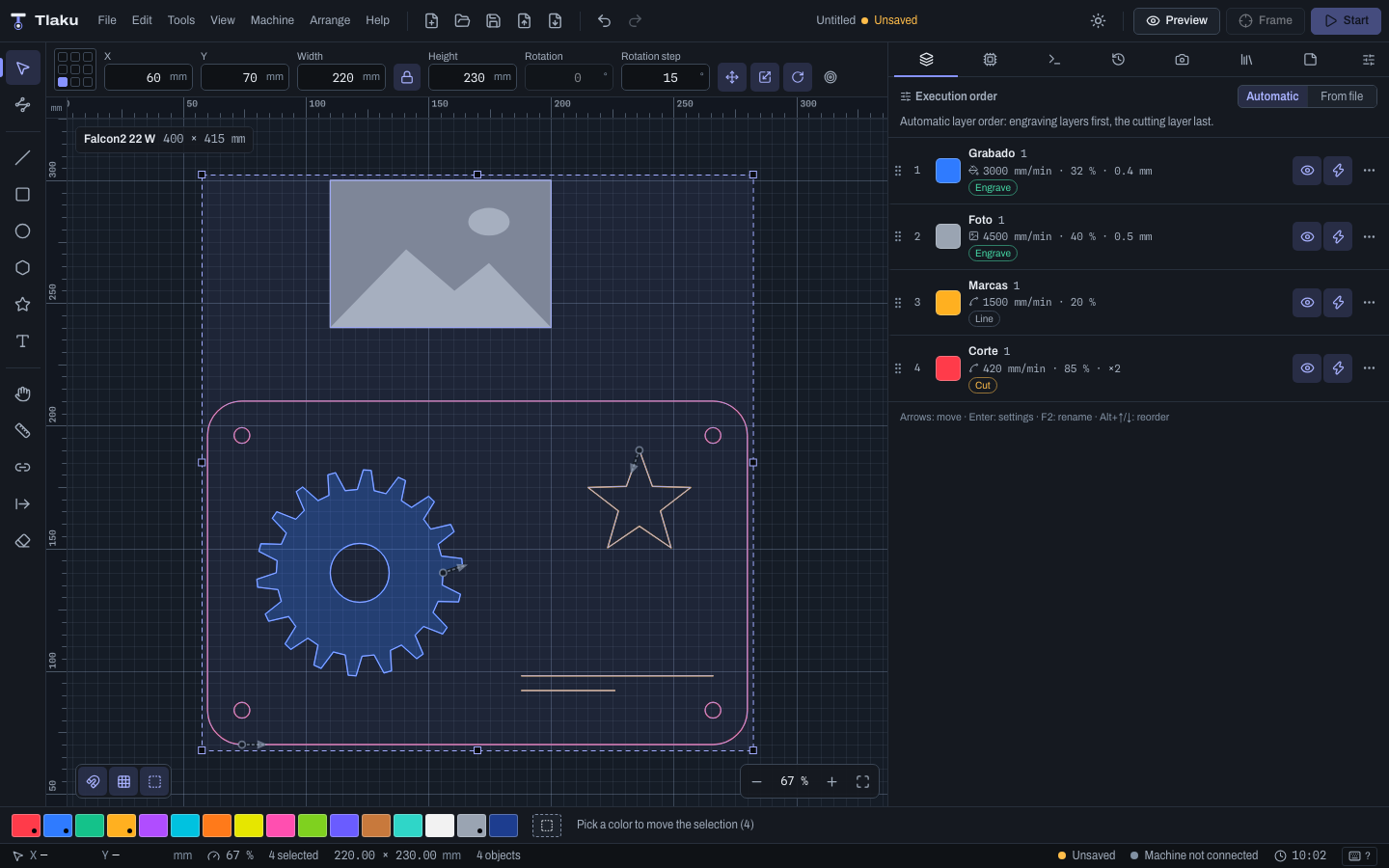
Tlaku is an open source alternative to commercial laser control software such as LightBurn: you design or import a job (a LightBurn project too), adjust the layers, see how it will be cut and send it to the machine with safety checks before anything moves. Read the comparison.
Status: beta 0.1.2. It has been tested on a real Creality Falcon2 Pro 22 W: connecting, model detection, homing, jogging, framing, engraving lines, fills and images and a material test, pause, stop, resuming after a power cut, the live view and the phone remote. High-power cutting has not been tested on a real machine yet, and every other machine (Ruida, K40, galvo and other GRBL brands) only with emulators and virtual machines inside the app. Treat every job as a test: low power, scrap material and your hand near the stop button.
Downloads LightBurn alternative For the Falcon2 Buy me a coffee
Guides
Free open source LightBurn alternative
What Tlaku does, which features have an equivalent, what it opens from LightBurn and what is missing or untested.
Tlaku for the Creality Falcon2
What was tested on a real Falcon2 Pro 22 W, how to get started and what is missing.
Frequently asked questions
Is it free, which machines it supports, whether it works offline and what to do about the unidentified-developer warning.
What it is and who it is for
The name comes from the Nahuatl tlacuilo: the painter-scribe who drew and wrote the codices. A tlacuilo turned ideas into marks on a surface; Tlaku turns a design into the movements of a laser.
It is for people with a diode or CO2 laser cutter or engraver who want an open program that explains what it does, especially those coming from other laser control software and those just starting. The manual includes a guide for switching.
The project is clean-room: no code, text, icons or screenshots from commercial programs are copied.
The interface is available in Spanish and English. The manual is currently written in Spanish.
Main features
Simple mode
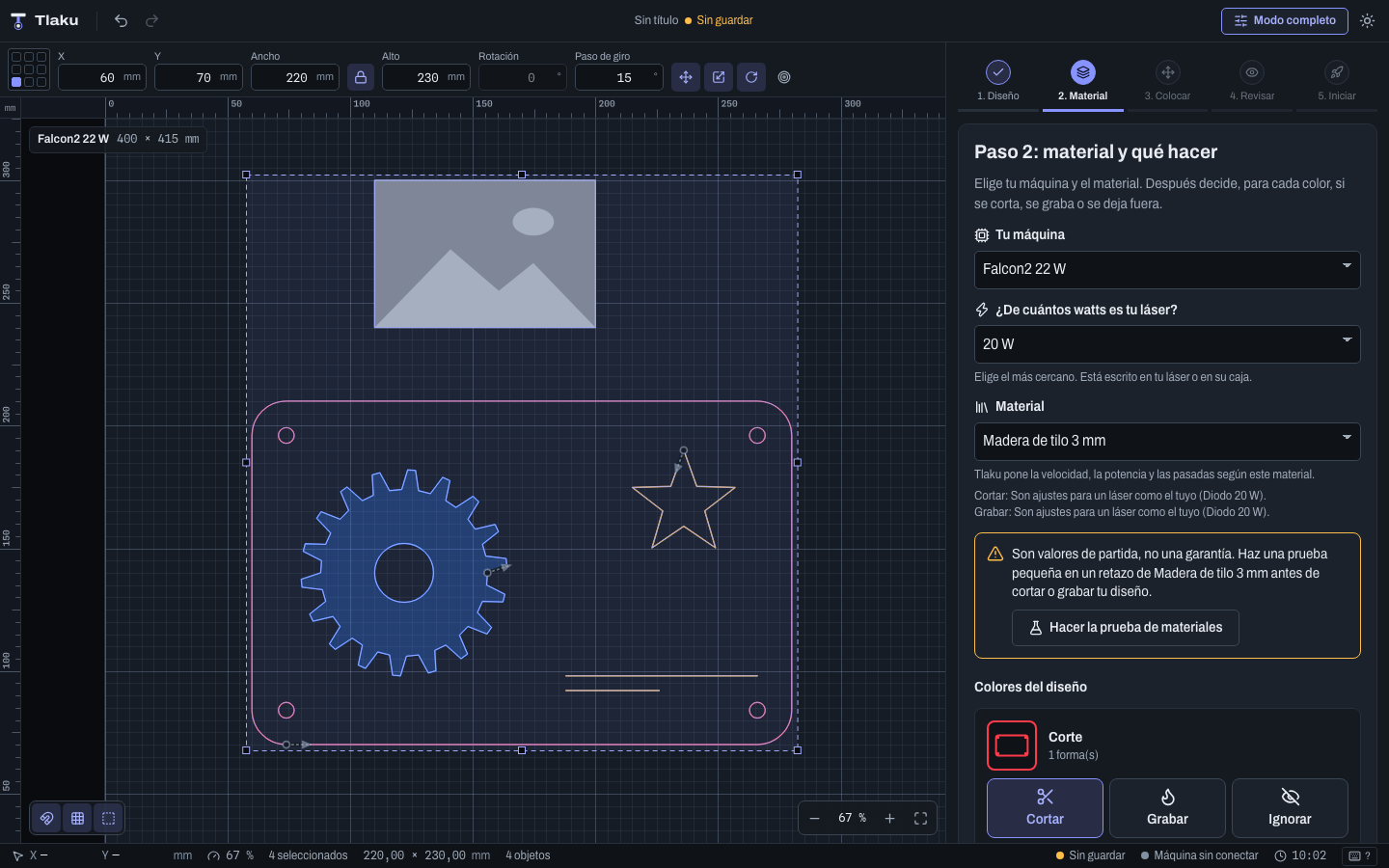
Five guided steps: open, material, place, review and start. Settings come from a material library and are starting points, not a guarantee.
Design and editing
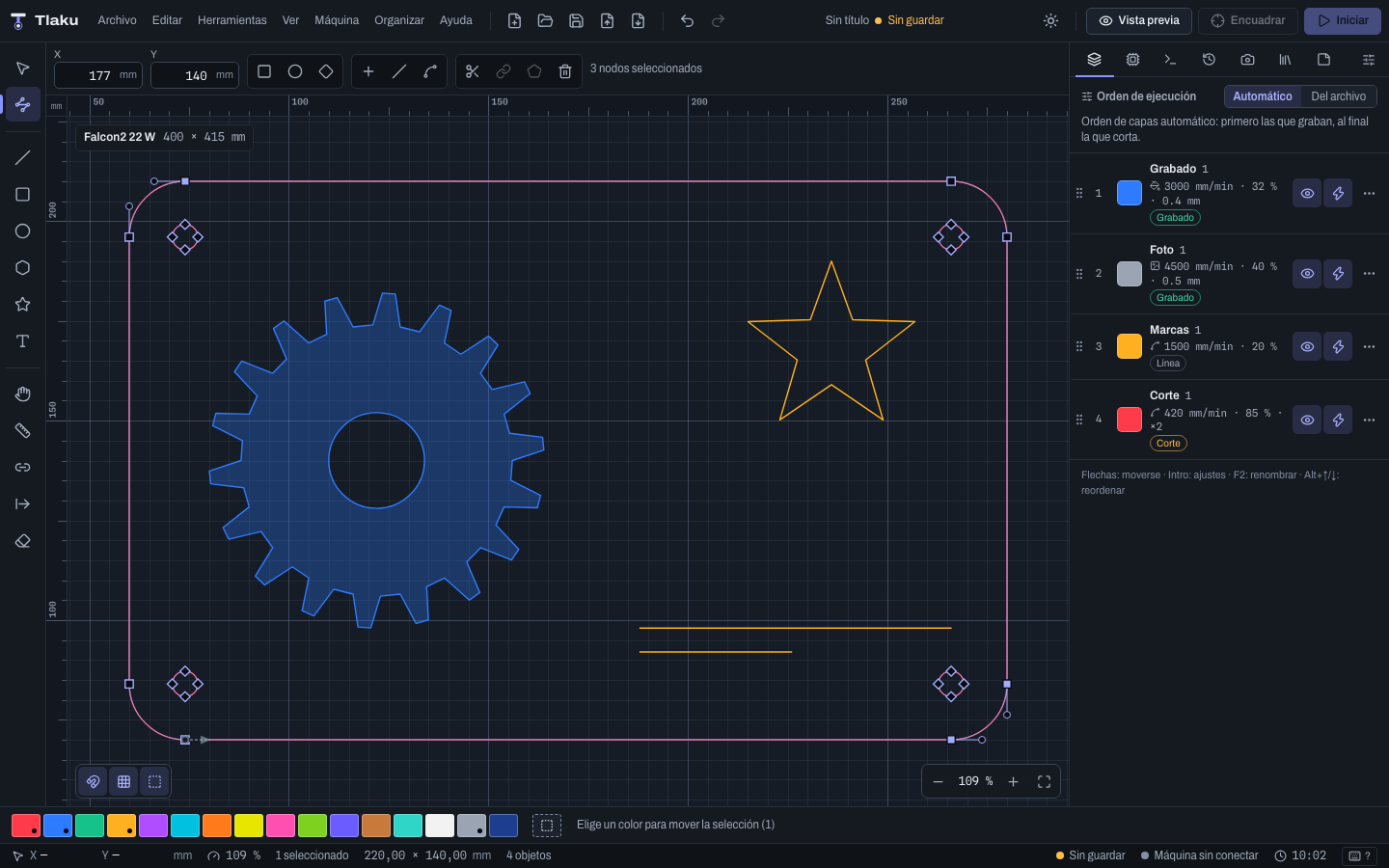
Canvas with rulers and the machine bed, shapes, node editor, align and distribute, arrays, boolean operations and undo with history.
Import and export
LightBurn projects, SVG, DXF, PDF and AI (the paths), HPGL, G-code and images. Exports SVG, DXF, PNG and PDF at 1:1 scale. Whatever cannot be imported is reported as a warning, never dropped silently.
Text and codes
System fonts, 15 single-line fonts, QR, Data Matrix and barcodes, and variable text (serial numbers, CSV data).
Layers and preview
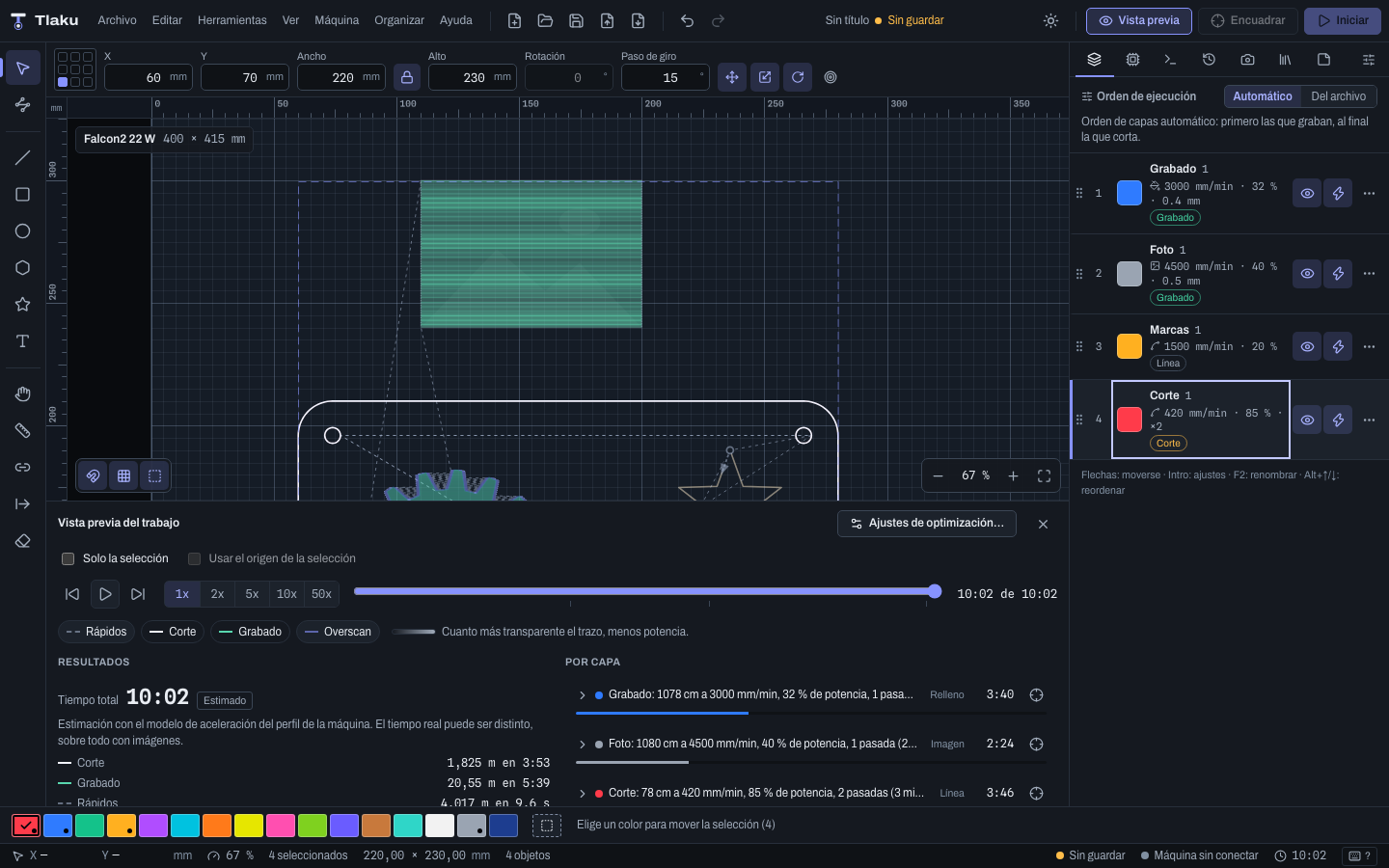
Line, fill and image modes. The cut planner says which rule decided each step of the order, and the preview estimates the time.
Nesting and tiling
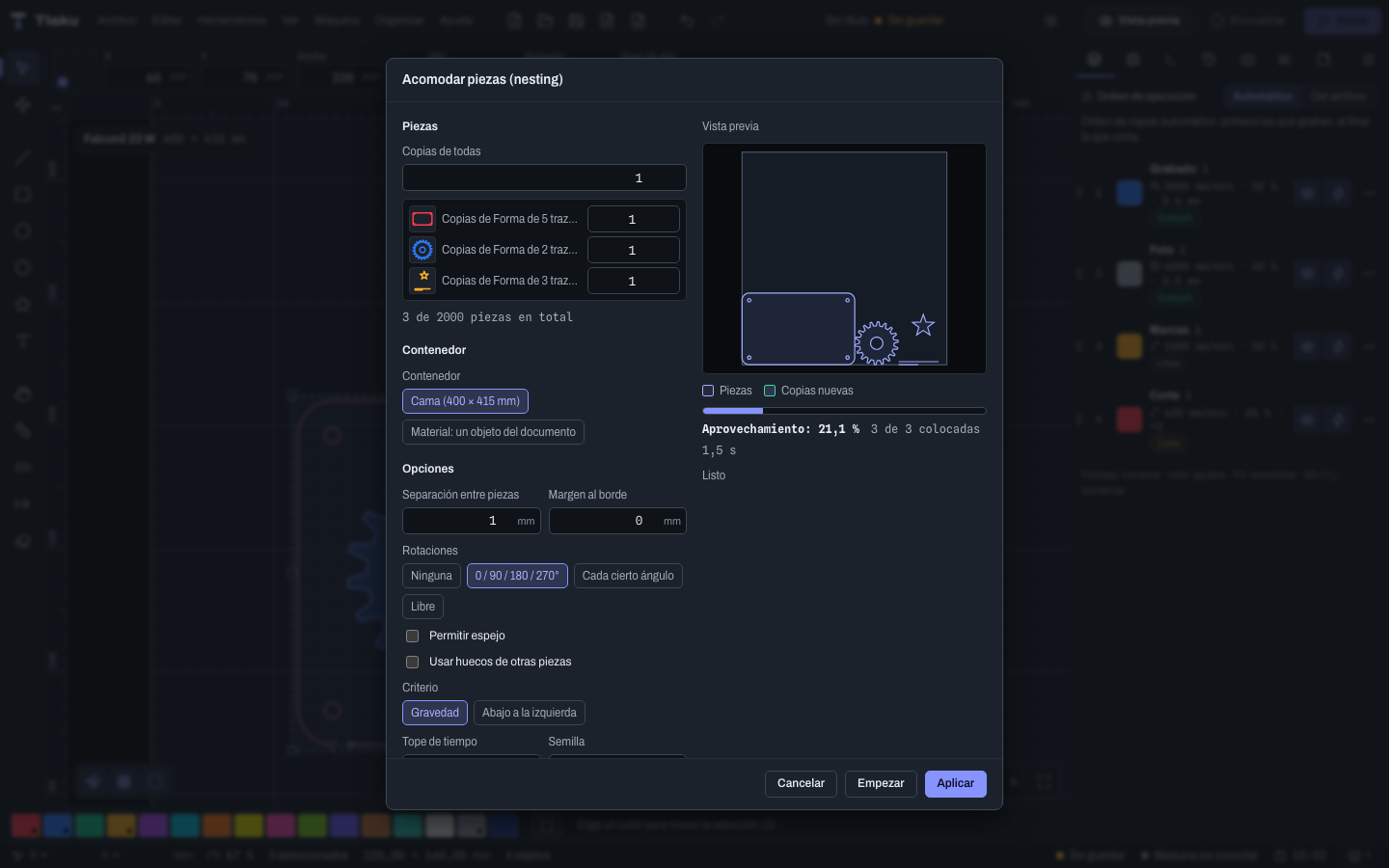
Fits parts on the bed or on an irregular material. Splitting a job larger than the bed into tiles (tiling) is experimental: it was only tried with the virtual machine.
Virtual machine
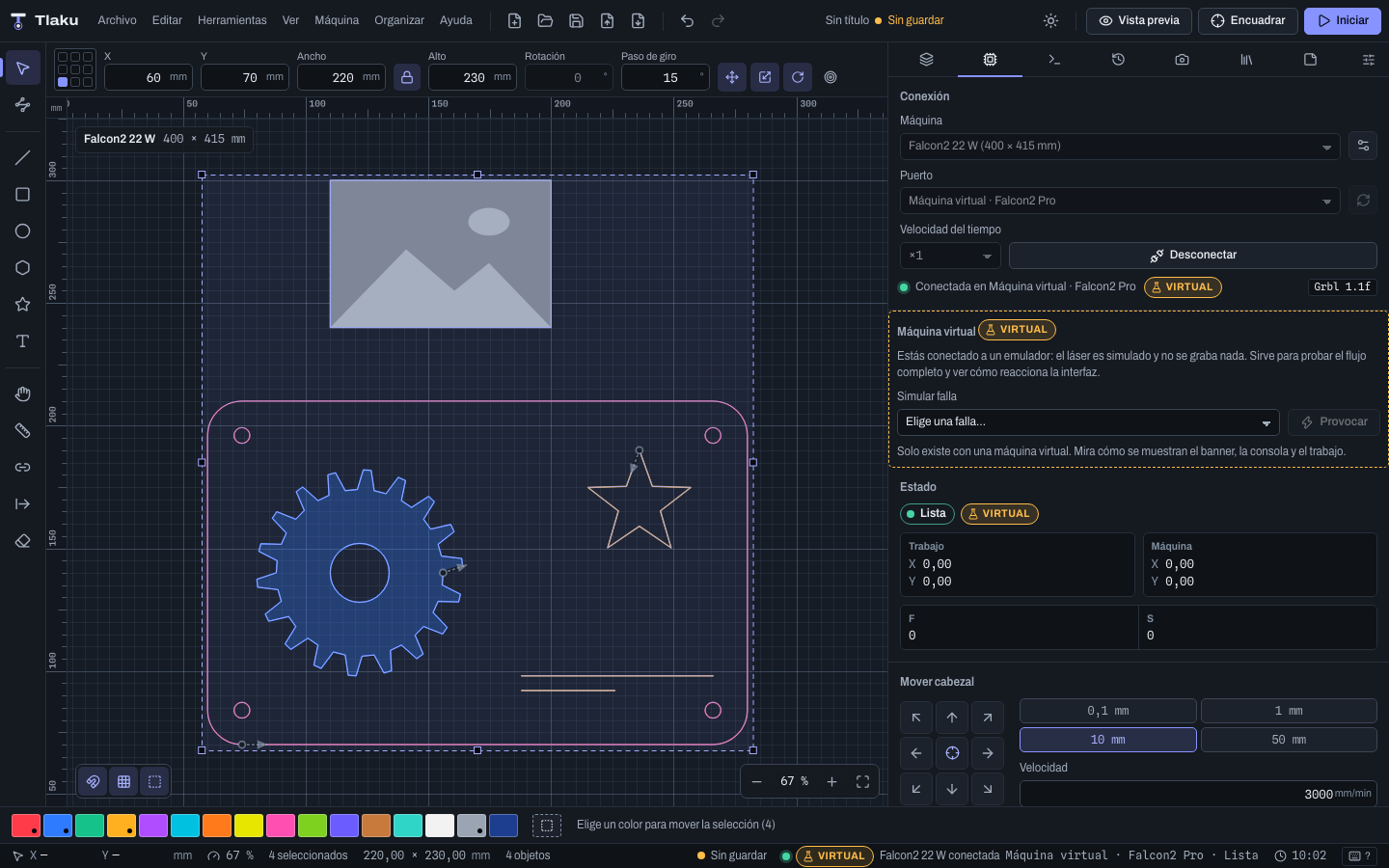
Connect the app to a simulated machine and trigger faults on purpose (flame, alarm, disconnection) to learn or report bugs without touching a laser.
Safety check
Before sending, the machine state is queried and nothing is transmitted if it is in alarm, paused or has the door open. The app never unlocks or homes the machine on its own.
Materials and camera
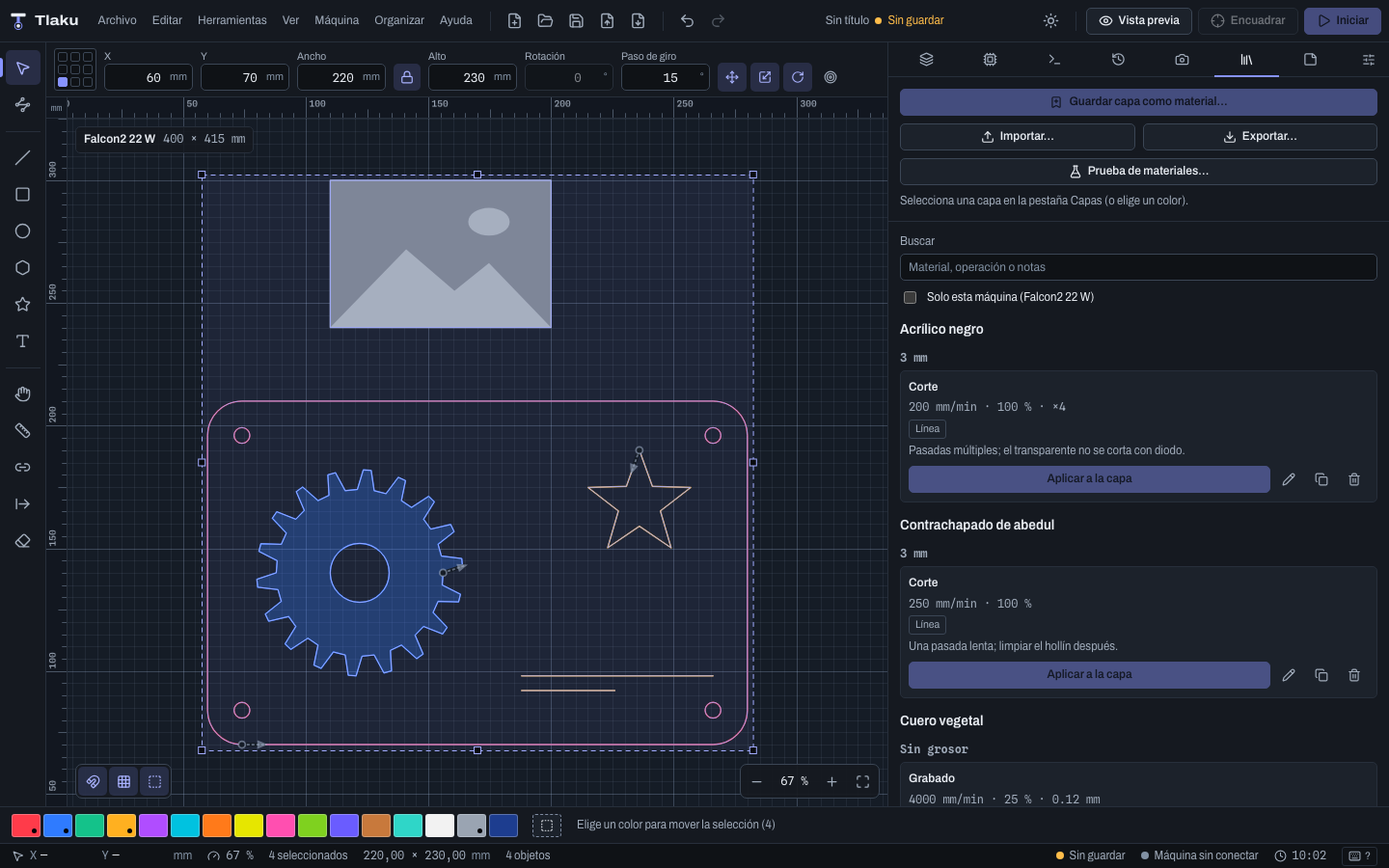
Factory material library with its sources, a material test and camera calibration.
Command line
What the app does can also be run with the
tlakuprogram and checked with automated tests.
Supported machines and their status
Only the Creality Falcon2 Pro 22 W has been tested on a real machine (no high-power cutting); nothing else has. “Emulator” means it works end to end against the app's emulator and virtual machines, with automated tests. Falcon2 details in Tlaku for the Creality Falcon2.
| Controller | Status | Notes |
|---|---|---|
| GRBL 1.1 (M4) and GRBL-M3, over USB serial | Emulator Falcon2 Pro tested Others untested | Most diode lasers. Tested on a real Creality Falcon2 Pro 22 W, without high-power cutting. Catalog of models with their sources. |
| grblHAL and FluidNC | Emulator Not tested on hardware | Over USB and over the network (TCP/Telnet and WebSocket, tested against an emulator over real sockets). |
| Marlin and Smoothie | Emulator (basic) Not tested on hardware | Line-by-line sending, lost-position warning and virtual machine. |
| Old GRBL (no M4), GRBL-LPC and custom G-code | Not tested on hardware | Own dialect, with a dialect editor. No dedicated virtual machine. |
| Ruida (CO2) | Experimental, not tested on hardware | Over the network (UDP): connect, send (by default it stores the job on the controller and does not start it), pause, stop, framing. Tested only against an emulator; it does not write settings. |
| K40 with M2 Nano board | Experimental, not tested on hardware | Direct USB, tested only against a simulated board. Power is set with the machine's knob, not by software; no Z, air assist or console. |
| Fiber, UV or CO2 galvo (JCZ/BJJCZ LMCV4 board) | Experimental, not tested on hardware | Command line only; the interface is still to come. Only the 9588:9899 board. Invisible class 4 beam: read the safety guide in the manual before connecting. |
| Galvo EZCAD3/DLC and BSL, Trocen, TopWisdom | Not supported | A K40 whose board was swapped for GRBL-LPC or Smoothie can work. |
Help us test
Tlaku has been tested on a real Creality Falcon2 Pro 22 W; everything else only with emulators and virtual machines. If you own a machine, the most helpful thing is to try it and tell us what happened, even if everything went well. Follow the validation list in order, from the safest level to the riskiest, with eye protection and scrap material.
Test report from my machine Share material settings Request a controller Validation list (Spanish)
The forms will be available once the repository has a public address.
Material settings you share join the library as unverified community data, under the CC0 license. The forms open on GitHub (an account is needed); from the app, the Help menu opens them already filled in and sends nothing on its own.
Download Tlaku 0.1.2 (beta)
Free, MIT license. It is a beta: it has had one real-machine test and high-power cutting is still untested.
- macOS 11 or laterApple Silicon and Intel (one universal
.dmg): open it and drag Tlaku to Applications. - Windows 10 or later
.exe(NSIS installer) or.msi. - Linux
.debor.AppImage(mark it as executable). ARM64 and Flatpak are experimental.
There is no public download address yet. When the first version is published, the link will appear here.
Until the project has code-signing certificates, the macOS and Windows installers are unsigned and the system will show a warning the first time (Gatekeeper on macOS, SmartScreen on Windows). How to open them is in the FAQ. This is an early-stage application: use it with care.
On Linux, to use the laser's serial port you need to add your user to the dialout group.
Manual
The user manual goes from first steps to troubleshooting, and includes a guide for people coming from other laser control programs. It is also inside the app, under Help > User Manual. It is currently written in Spanish.
The manual lives in the docs/manual folder of the repository, which does not have a public address yet.
Support Tlaku
Tlaku is free and open source (MIT), and it will stay that way. It is built by one person in Mexico, with no company behind it. If it is useful to you and you would like it to move faster, you can buy me a coffee.
What your support would pay for
Test machines
Right now I only have one Creality Falcon2 Pro, a diode laser. With support I could test other families, such as CO2 with a Ruida controller or fiber galvo, which are currently marked experimental.
Signing certificates
Windows and Apple certificates cost money and have to be renewed. Without them, the installers show the SmartScreen or Gatekeeper warning. With them, that warning could go away.
Development time
More hours to fix bugs, test on real hardware and keep the manual up to date.
The project does not have donation accounts yet.
Donating is optional and unlocks nothing: the program is the same with or without a donation. Ko-fi is an external site; the button takes you away from this page.
Rather not donate? You can still help a lot
These links will be available once the repository has a public address.
License
Tlaku is free software under the MIT license. Dependencies must have permissive licenses, and an automated check verifies this on every change.